CLI reference
Every command and flag, with the exact behavior of each.
npx @webmcp-stack/codegen generate
The main command. Resolves where tools come from and where they go, in this order:
- A config file (
codegen.config.mjs, or--config PATH) when one exists. --spec/--outflags as quick overrides.- Remembered choices from
.webmcp-codegen.json. - Auto-detection: the spec by filename, the web app by its package.json.
  --spec PATH    Which OpenAPI spec to use (auto-detected when omitted)
  --out DIR      Where the tool files go (default: your web app's src/webmcp)
  --dry-run      Preview what would be written, write nothing
  --skip-audit   Skip the safety report
  --force        Write files even when the audit reports errors
  --config PATH  Use a config file at PATH
  --watch        Re-generate when files change
A successful run also wires registration into your app (two additive lines; see
Quickstart) and remembers detection
choices in .webmcp-codegen.json.
Exit codes: 0 on success, 1 when the audit blocks generation (unless --force).
npx @webmcp-stack/codegen generate --dry-run
Computes everything and writes nothing: the tool list with risk labels, skipped endpoints and why, the audit findings, the files it would write, and the registration edits it would make. The first command to run in any repo.
npx @webmcp-stack/codegen generate --watch
Re-runs on every relevant file change. Regeneration is cheap and merge-safe, so watch mode
keeps tools in sync while you edit the spec. The watcher ignores its own outputs
(src/webmcp, .webmcp-codegen.json), so it never loops.
npx @webmcp-stack/codegen dev
Opens the tools dashboard on http://localhost:4700 (override with --port N). A local
control panel for what was generated:
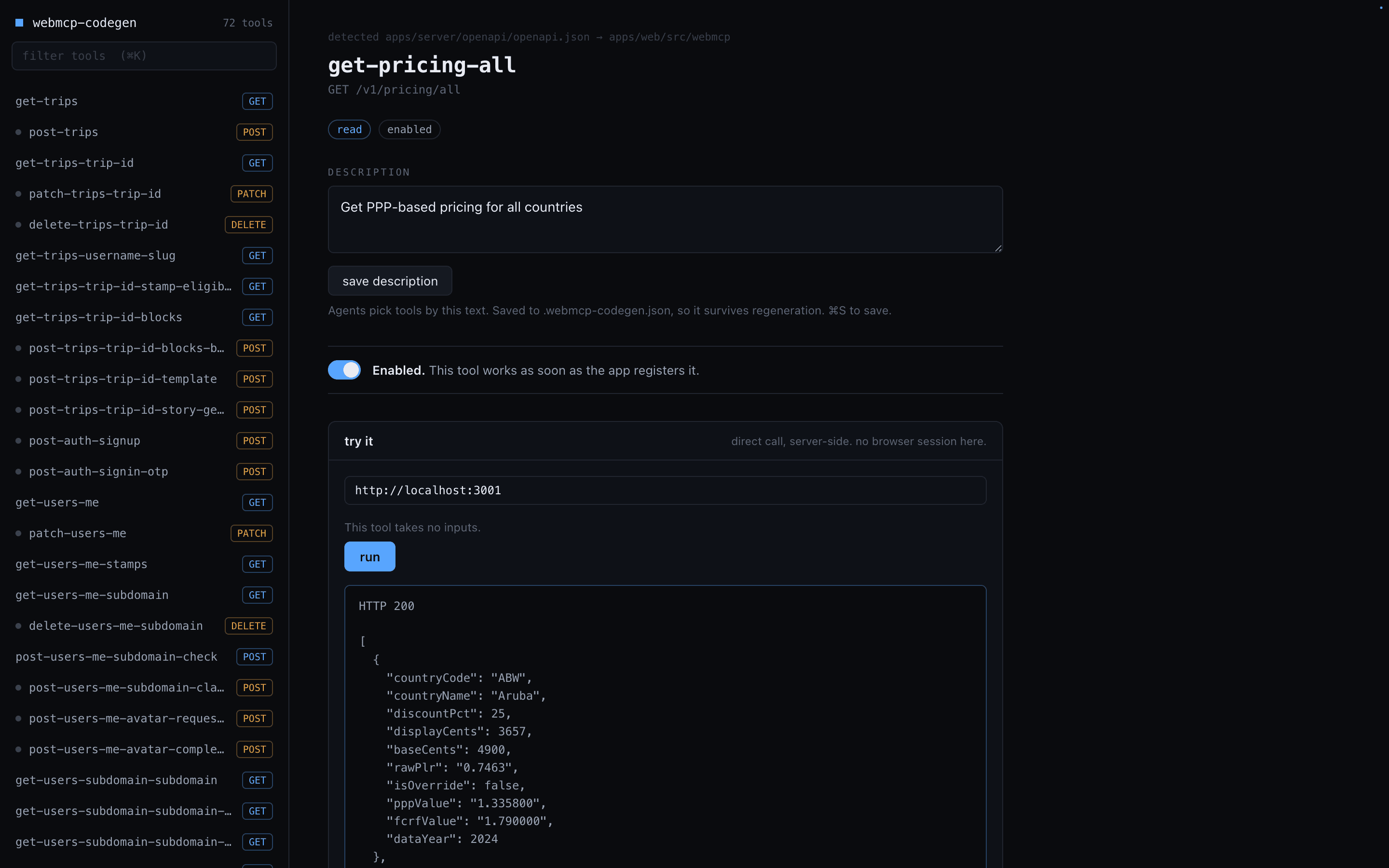
- Browse and search every tool, grouped by risk level
- Edit descriptions and toggle tools on or off. Edits save to
.webmcp-codegen.jsonand survive regeneration - Run any tool directly to check the wiring, without opening the app
The dashboard serves a localhost page from inside the CLI. Nothing is added to your app, and it stops existing when you Ctrl+C.
npx @webmcp-stack/codegen init
Writes a starter codegen.config.mjs, pointed at your detected spec. The config imports
from the package, so this path needs an install:
npm install -D webmcp-codegenYou do not need init to use the CLI. Config is for when you outgrow the defaults:
multiple sources, custom safety options, generator options.
Global flags
--help Print help